

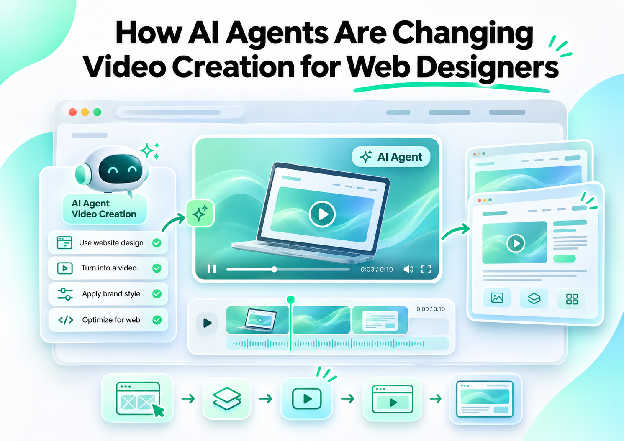
AI agents are changing video creation for web designers by letting them direct an edit in plain language instead of building it clip by clip. A designer describes the video they need, such as a short product teaser, a portfolio case study, or a landing page clip, and an agent carries out the edit on a real timeline, which the designer can review, redirect, and finish.
For designers, this arrives at a natural moment. Many already use AI assistants to draft copy, write code, and explore layouts, and video has become a regular part of the job through portfolios, SaaS landing pages, and client presentations. Until recently, video meant leaving the assistant and opening separate editing software. Now the assistant can work inside the editor itself. This article looks at what agents actually do in a video edit, how the connection works in simple terms, and what changes in a designer's workflow.
From Design Assistants to Video Assistants
Web designers work in a chain of tools, and AI assistants have been moving into more of them. They help with research, wireframes, copy, front-end code, and image generation. Video has been the awkward link in that chain. It needs different software, a different set of skills, and a lot of repetitive work before a clip is ready to put on a page.
Agents change that by taking on the repetitive parts of editing. Instead of learning every control in a timeline, a designer can describe an outcome and watch it happen. That does not remove the need for design judgment. It moves the effort from operating software to deciding what the video should look like and say.
What an Agent Does in a Video Edit
An agent works through the same operations an editor would, but in response to a request. The table below shows common tasks for a designer's projects.
| Task | What the designer asks for | What the agent does |
|---|---|---|
| Rough cut | A short teaser from raw footage, using the strongest moments | Reviews the footage, selects moments, and builds a sequence with a title card and music |
| Color | Matching tones across clips and adding a consistent look | Corrects and balances the clips so they read as one set |
| Captions | Word-by-word captions in a specific style | Adds styled captions and keeps them clear of other elements |
| Audio | Music lowered under a voiceover, room noise reduced | Ducks the music, cleans up hum, and balances the mix |
| B-roll | Supporting shots placed between interview answers | Generates shots and places them against the dialogue |
| Versions | A vertical cut for Reels or a different length | Rebuilds the sequence in the new format |
Each of these changes lands on the timeline as an explicit edit, such as a cut, a placed clip, a title, or an effect, so the designer can see and change what was done.
How the Connection Works, in Plain Language
The idea behind this is simpler than the name suggests. MCP, short for Model Context Protocol, is an open standard that lets AI assistants use outside tools. A video editor that supports it can be connected to an assistant, and the assistant can then open the editor, bring in footage, and make changes to a timeline while the designer watches.
In practice, connecting usually involves signing in with an account and approving access, with no technical setup beyond that for many assistants. After that, the designer talks to the assistant as usual, and the edits appear in the editor in a browser, often under a cursor labeled with the agent's name. The designer can make their own changes at the same time, so it feels like working alongside a collaborator on a shared project.
Where This Fits in a Web Designer's Work
Video shows up in a designer's projects more than it used to.
Portfolio case studies. Short walkthroughs often explain a project faster than text, and an agent can help turn a screen recording into a clean edit.
Landing page videos. Hero loops, feature clips, and testimonials all need editing, and versions for different placements come from the same footage.
SaaS product demos. A recorded walkthrough can be trimmed, captioned, and cleaned up quickly.
Prototype walkthroughs for clients. A narrated recording of a prototype becomes a polished presentation.
Social teasers. Short vertical cuts of a project help promote work on social platforms.
In each case, the designer's role stays the same: deciding what the video needs to communicate and checking that it fits the brand.
What Changes in the Workflow
A few shifts stand out when an assistant can edit.
One place to work. A designer can direct a video edit from the assistant they already use, instead of switching to separate software to start.
Iteration by conversation. Notes like "tighten the opening" or "make the captions bolder" become requests, not manual re-edits.
Visible changes. Because edits happen on a real timeline, each change can be inspected, adjusted, or undone, and earlier checkpoints can be restored.
Handoff to professional tools. A finished project can be exported for further work in other editors when a project needs more polish.
Shared work. A designer and an agent can work in the same project at the same time, and a teammate can review it too.
Invideo Editor and the invideo MCP Server
Invideo Editor supports this way of working. Its invideo MCP server makes the editor's timeline available to outside AI assistants, so tools such as Claude, ChatGPT, Cursor, Claude Code, and Codex can edit in it. The assistant opens a project, shares an editor link, and carries out requests while the designer watches each cut, title, and transition appear.
Key features:
- Connection to Claude, ChatGPT, and Cursor in one click, and to command-line tools such as Claude Code and Codex with a single prompt
- Sign-in with an invideo account, with no API key required
- Edits on a real multitrack timeline, including cuts, clip placement, titles, transitions, and effects
- Color correction, audio mixing, and generation of images, video, and audio from the connected assistant
- Live visibility, with the agent's cursor and each edit appearing as it happens
- The ability to edit by hand at any point, working alongside the agent in the same project
- Edits applied as explicit timeline changes, with the option to restore an earlier checkpoint
- Export of a rendered video, or an editable project for Premiere Pro, Final Cut Pro, or DaVinci Resolve
Requests can be as specific as cutting a 30-second teaser from supplied footage with a title card and music, matching tones across interview clips, or rebuilding a cut as a vertical version for Reels. Because the result is an editable timeline and not a single rendered clip, a designer keeps full control over the final cut. The manual timeline is free to use, while the AI agent features run on credits through paid plans.
Things to Keep in Mind
Review every edit. An agent can place a cut or a caption where it does not belong, so a full watch-through before publishing is worth the time.
Mind permissions. Connecting an assistant to an account grants it access, so it is worth understanding what the connection allows and approving it deliberately.
Protect brand consistency. Clear direction on color, type, and pacing, along with reference material, keeps results on style.
Check accuracy. For product demos, the visible interface and claims must match the real product.
Confirm usage rights. Generated media and library assets come with terms that matter for commercial work.
Final Thoughts
AI agents are making video creation more accessible to designers by taking on the repetitive operations that used to stand between an idea and a finished clip. The designer's contribution, taste, structure, and an understanding of the brand, becomes the main input.
As assistants and editors connect more closely, video is likely to feel less like a separate discipline and more like another part of a designer's toolkit, one that can be directed in the same plain language used for everything else.
FAQ
What is MCP, in simple terms?
It is an open standard that lets AI assistants use outside tools. A video editor that supports it can be connected to an assistant, which can then open the editor and make edits.
Do I need to know video editing to direct an agent?
Not to get started. You describe what you want in plain language and review the result. Some editing knowledge helps with refining pacing and detail.
Can I still edit by hand?
Yes. In an editor like invideo editor, the agent works on the same timeline you do, so you can make changes yourself at any time.
Which assistants can connect to Invideo Editor?
Invideo Editor works with assistants that support remote MCP servers, including Claude, ChatGPT, Cursor, Claude Code, and Codex.
Can I take the project into another editor?
Yes. You can export a rendered video, or an editable project for Premiere Pro, Final Cut Pro, or DaVinci Resolve.


